Your PC's status, on your wallpaper.
BackDrop puts what someone needs to know about their PC right on the desktop, in plain language: whether it is compliant and secure, due a restart or short of space, and how to reach IT. Design it in a point-and-click editor, then roll it out with the tools IT already uses.
Not available to download yet. To ask about it, or to hear when it is ready, send an enquiry through the chat at the bottom right of this page.
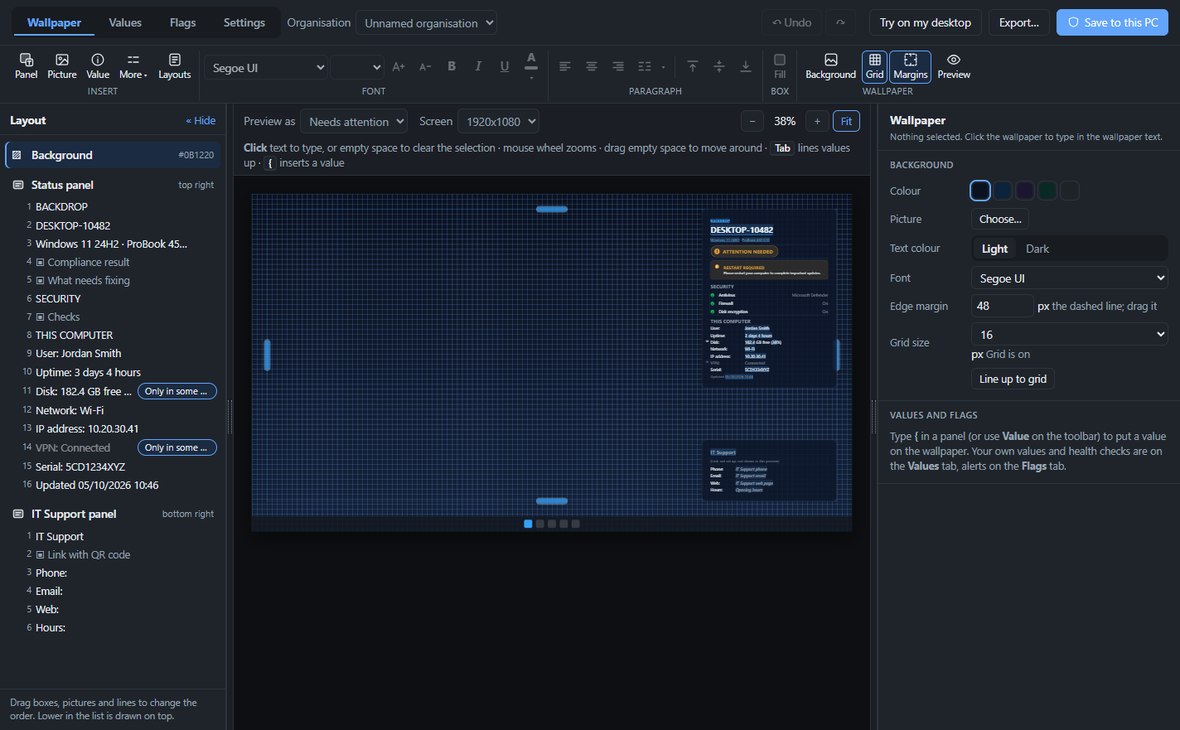
It does not manage the device. Intune, Configuration Manager, Group Policy or your RMM do that. BackDrop makes the result understandable to the person at the keyboard. It works alongside them, or with no management platform at all, and needs no network and no cloud.
Design it, no code required
BackDrop Designer is where the wallpaper is made. Place panels, text, pictures and QR-code links anywhere on the screen, word every check the way your users talk, and preview the result as Needs attention, Everything OK or Action required, or with this PC's live results. Try on my desktop shows it at full size before anything is saved.
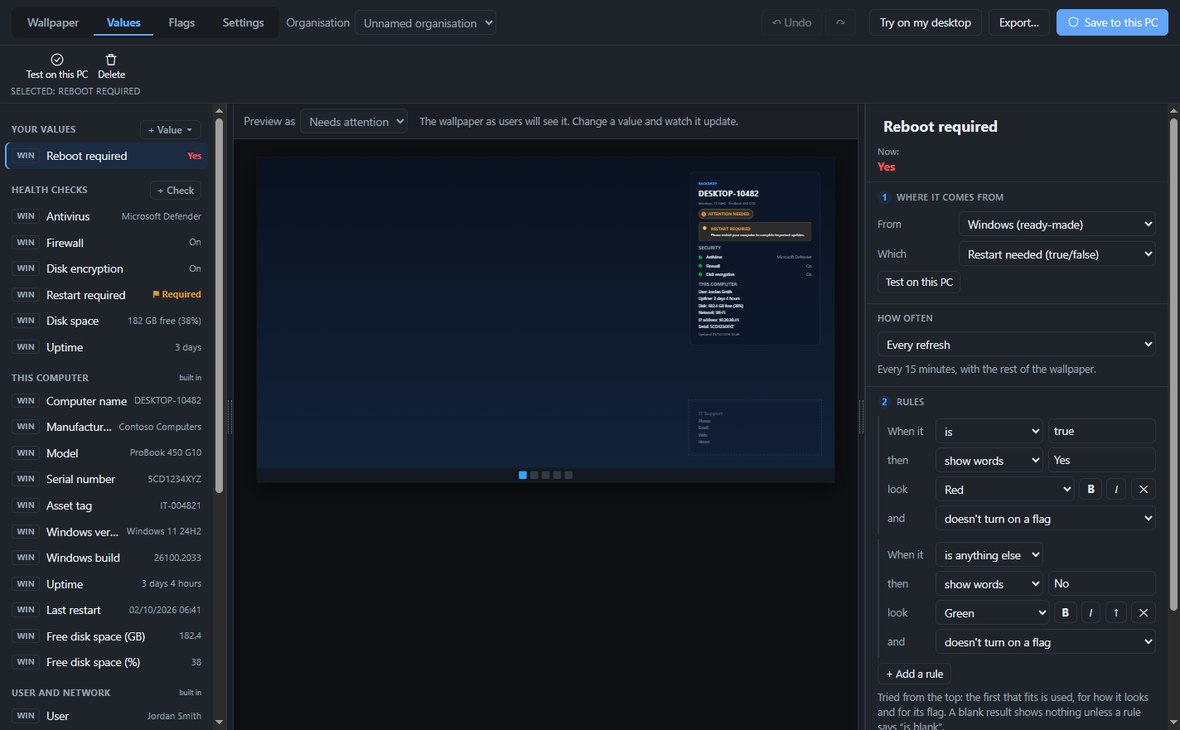
Each value can have its own rules: show it, show other words, or hide it, in a chosen colour, and raise a flag when something needs attention. Keep a separate setup for every organisation you look after, then Save to this PC or Export a folder ready for Intune, Group Policy, Configuration Manager or an RMM tool.
What it shows
Out of the box: the device and signed-in user, Entra or domain join, Windows version, uptime, Defender or third-party antivirus, firewall, BitLocker, whether a restart is needed, Windows Update, disk space, and network and VPN state.
Your own checks
Add checks of your own: a file that should exist or be recent, a file version, a registry key or value, a service or process that should be running, the Windows build, free space, pending updates, or the result of your own PowerShell or batch script. Any other tool can publish results too, through the registry or as JSON files.
Results that stop being refreshed turn to UNKNOWN, so a stale green tick is never shown.
Light on the PC
A scheduled task runs it at sign-in, at unlock and every 15 minutes, as the signed-in user. There is no service and nothing sitting in memory: it collects, evaluates, draws the wallpaper, notifies on a change, and exits.
Ready-made layouts
Eight layouts ship with it, from a full status panel to a name and address on their own. These previews use sample data, not a real device.


Requirements
- Operating system
- Windows 10 1803 or later (including LTSC 2019), or Windows 11
- Architecture
- x64 or ARM64
- Runtime
- .NET Framework 4.7.2 — ships with Windows, nothing extra to install
- Size
- A 3.1 MB folder, or a 1.4 MB MSI
- Deployment
- Copy and run, or MSI with a configuration file
Coming soon
BackDrop is not publicly released yet. Send an enquiry to hear when it is, or to talk about trying it on your PCs.