Spare machines, put to work.
HeliosCore gathers the spare computers on your network into one shared pool, and lends them out two ways: as real test devices other projects can borrow and watch, and as AI compute that stays on your own hardware. All from one control room.
Not available to download yet. To ask about it, or to hear when it is ready, send an enquiry through the chat at the bottom right of this page.

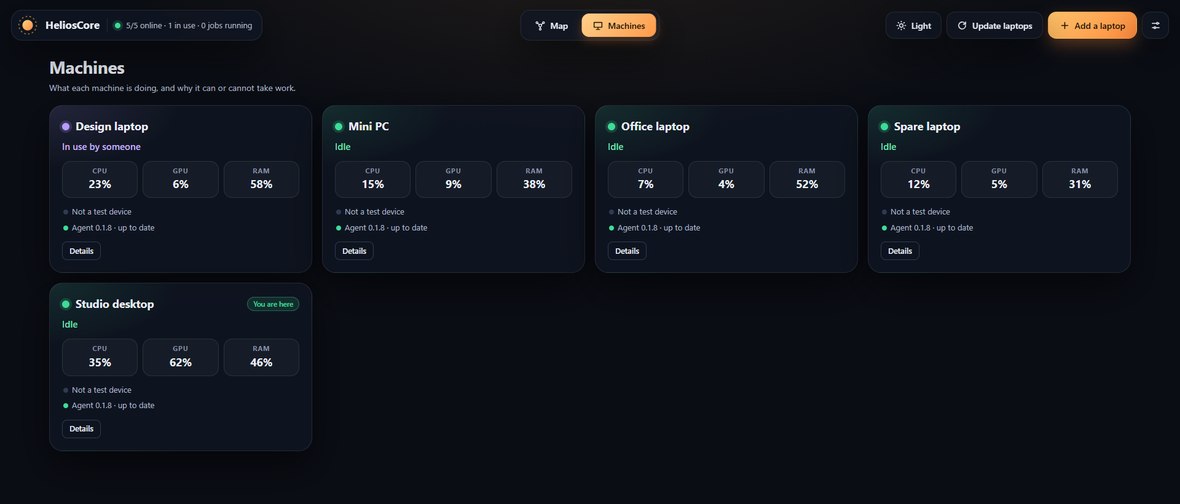
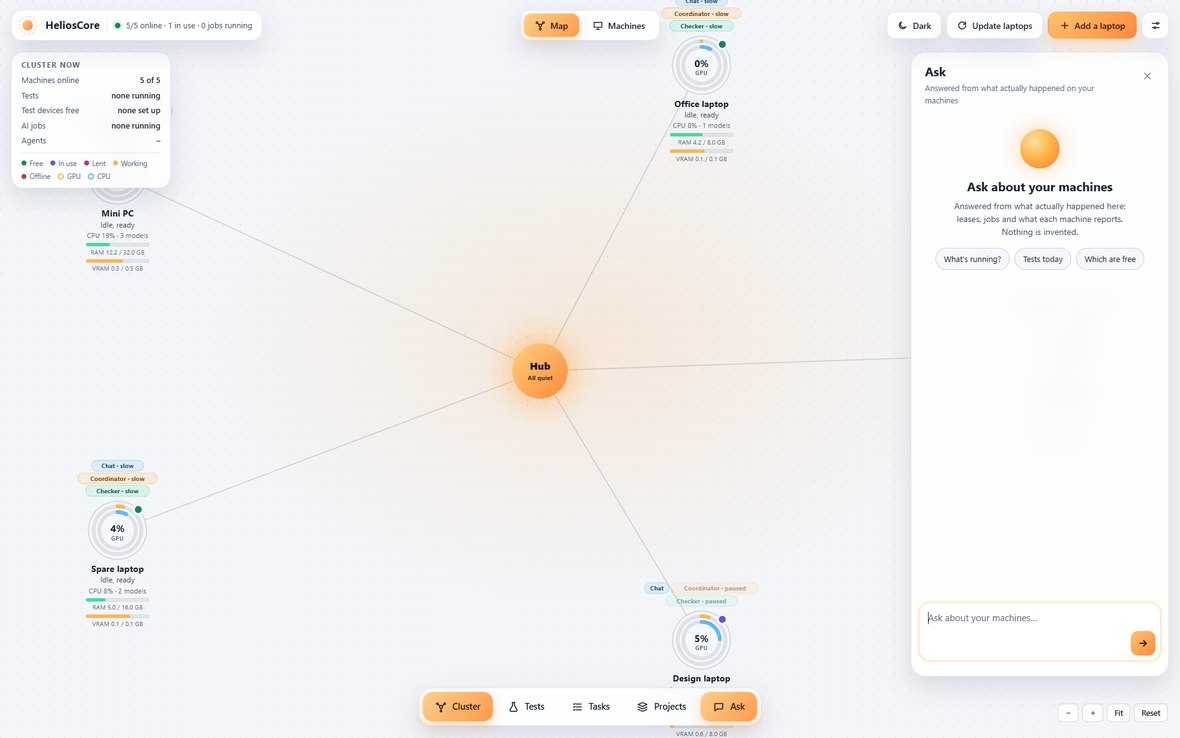
The screenshots are the real HeliosCore control room running against five simulated machines. The names and figures are invented.
One control room for every machine
A live map shows each machine around the hub: free, in use, lent or working, with its GPU, memory and the jobs it can take. The Machines view says, in plain words, what each one is doing and why it can or cannot take work. Tests, tasks and projects sit alongside.
Ask about your machines
Ask a question in plain words, such as what is running, which machines are free or how today's tests went, and the answer comes from what actually happened on your machines: leases, jobs and what each machine reports. Nothing is invented. The control room comes in light and dark.
Real devices for testing
Another project, a website, a game, anything with a browser in it, borrows a laptop and runs its tests in a real, visible browser on real hardware, not a headless container that behaves subtly differently. The hub shows a live view while it runs and keeps a recording afterwards.
A laptop is only lent when it is online and nobody is working on it, or its owner has said sharing is fine. Every loan has a time limit, so a machine always comes back. The person at the laptop stays in charge, with Hide, Pause and Stop always to hand, and the bar never takes keyboard focus.
AI that stays in the building
The same pool serves language models over the network. Each machine advertises what it can do, chat, coding, reasoning, vision, embeddings or speech, and each request goes to one that fits and is free. AI work steps aside while a laptop is lent for testing, so the two never get in each other's way. Everything runs on your own hardware; nothing leaves the network unless you point it somewhere that does.
Adding a machine takes a minute
Copy the agent to the laptop and double-click it. It finds the hub on its own, with no IP address to look up and no administrator rights. Type the six-digit code the dashboard shows, and the laptop joins. The code lasts five minutes and works once, so the hub's token is never read aloud or pasted.
Status
- Stage
- In development — no public release yet
- Shape
- Self-hosted: a hub plus a small agent on each machine
- Lends
- Test devices, and AI compute
- Control room
- Web dashboard, local by default
Coming soon
HeliosCore is not publicly released yet. Send an enquiry to hear when it is, or to talk about putting your own spare machines to work.